VR Setup
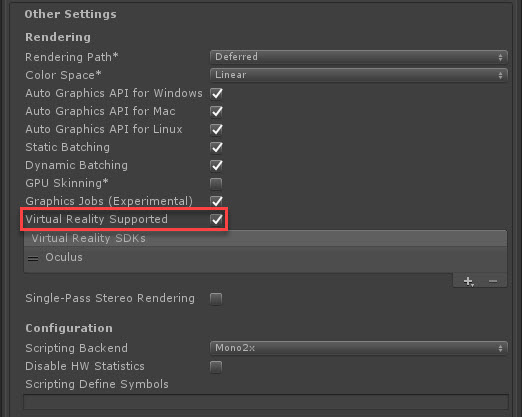
VR support is enabled by visiting Edit > Project Settings> Player > Other Settings > Rendering. Then enabling the “Virtual Reality Supported” checkbox in the Inspector.
Set your SDK according to the device requirements you currently have connected to your PC/Mac